Axzo Design Portal

Project background
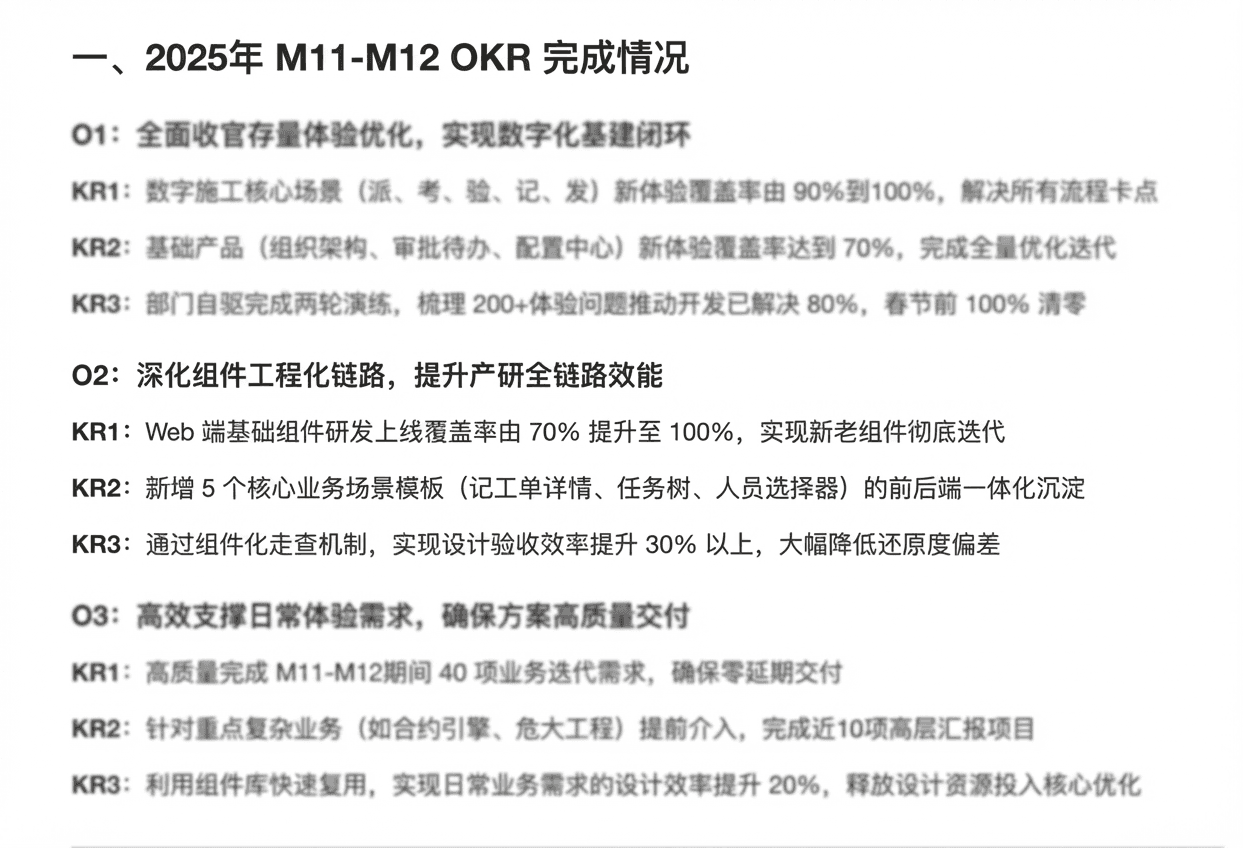
In 2025, the team made componentization a key OKR and aimed to reach 100% synchronization between design and development components. Against that backdrop, the team needed a single entry point to surface the outcomes of the componentization effort and support both internal collaboration and executive reporting.
Problem definition
The team had already accumulated design system assets in Figma, and the development side also had some ready-made materials. As the product kept iterating, those resources became scattered across different places, making the design system experience feel fragmented. The real problem was not whether resources existed, but how quickly they could be found, understood, and used.

Design assets existed, but the entry points were scattered

Data visualization standards were incomplete

UI implementation had local inconsistencies

Design-development collaboration was inefficient
Design insight
A design system needs to be designed twice
First design: shaping components, guidelines, assets, and collaboration flows
Second design: how content is organized, understood, accessed, and shared
Portal positioning
I defined Axzo Design as a Design System Portal. It was not just a place for showing documentation, but also served four more important roles:
Unified entry
Bring design, development, data visualization, and collaboration content into one place

Usage guide
Help team members quickly understand the system structure, boundaries, and entry paths

Collaboration bridge
Connect the key workflows between designers, developers, and business partners

Showcase window
Show the management team and the wider organization the progress of componentization and the maturity of the system
Design goal
The main goal of version 1.0 of the design system portal was to build a systematic entry point for showcasing and collaborating around the design system from scratch, serving both internal collaboration and upward reporting.
Design exploration
Designing how the system is understood
Planning the consumption journey
For the information architecture, I planned the overall structure of the portal from the perspective of how team members understand and use the design system.
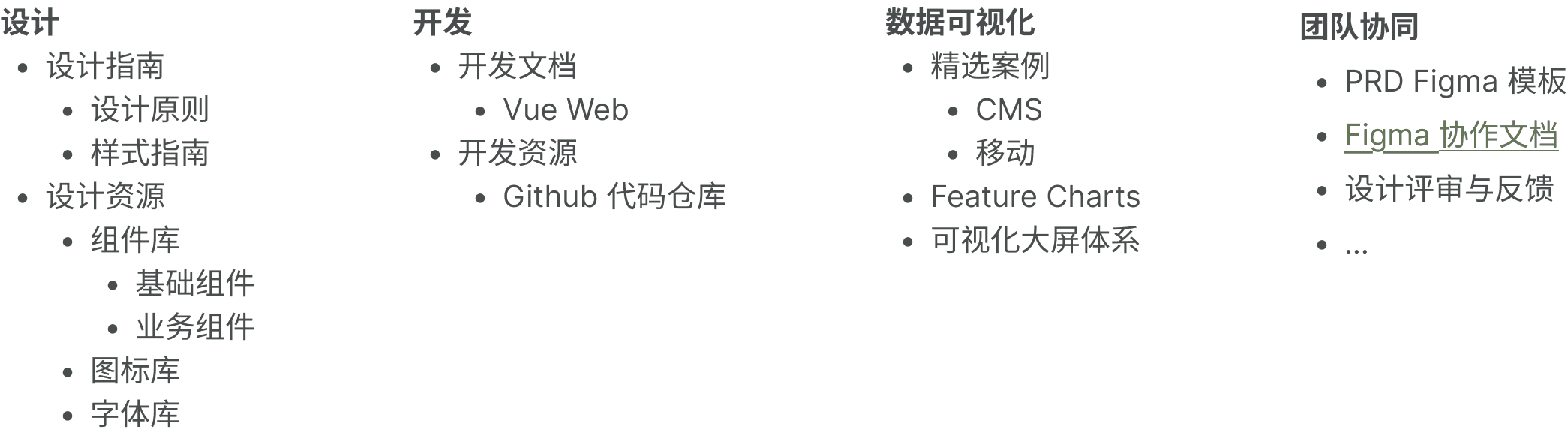
Version 1.0 was split into four top-level modules: design, development, data visualization, and team collaboration. Each one maps to a core task the team performs when working with the design system.
Information architecture as a communication strategy
I made three key decisions in the structure design:
- Organize content by usage scenario instead of source, because that better matches how designers and developers search for things.
- Separate data visualization into its own top-level module because it is highly complex in B2B products, its standards were still immature, and it needed to be understood on its own.
- Include team collaboration in the portal, because a design system is adopted not just through components and guidelines, but also through collaboration mechanisms.
Design practice
Design system as a product
Homepage design
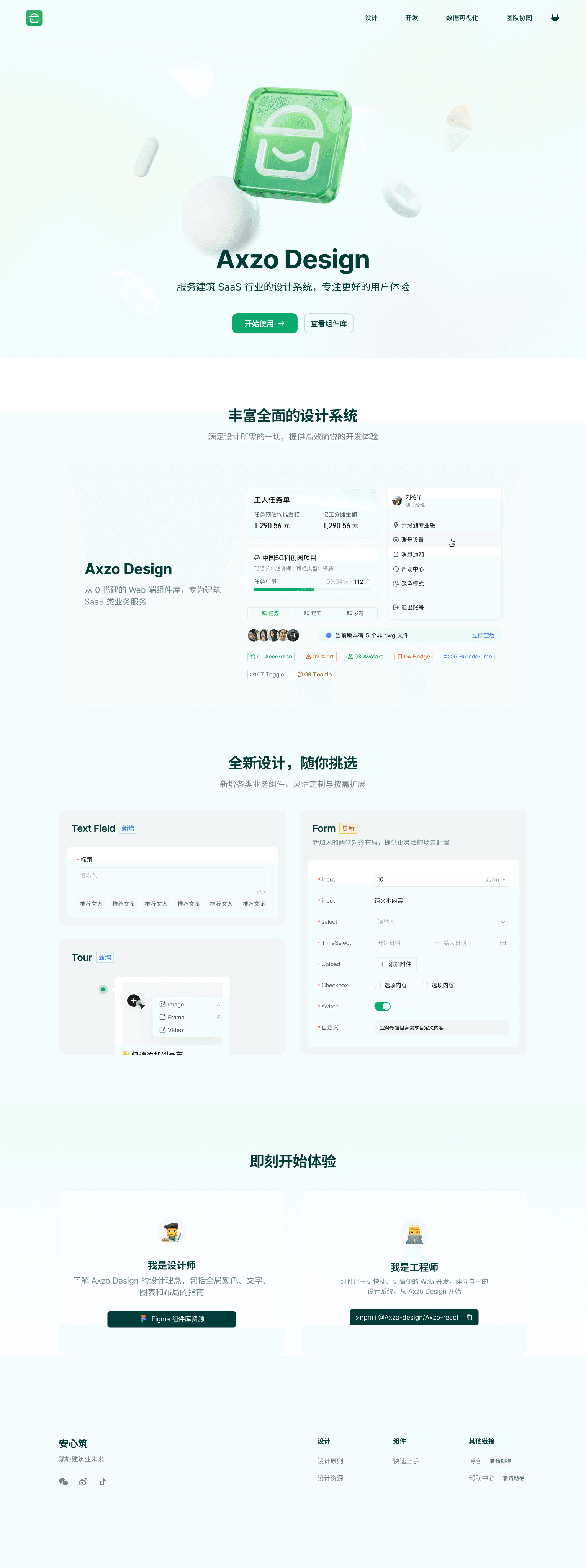
The homepage did more than just look complete. It first built understanding of the design system, then showcased the system's capabilities, and finally guided users into the specific modules. Through the hero area, component previews, and quick-start content, the homepage turned an abstract design system into a product entry point that the team could understand and access easily.
Design and development details
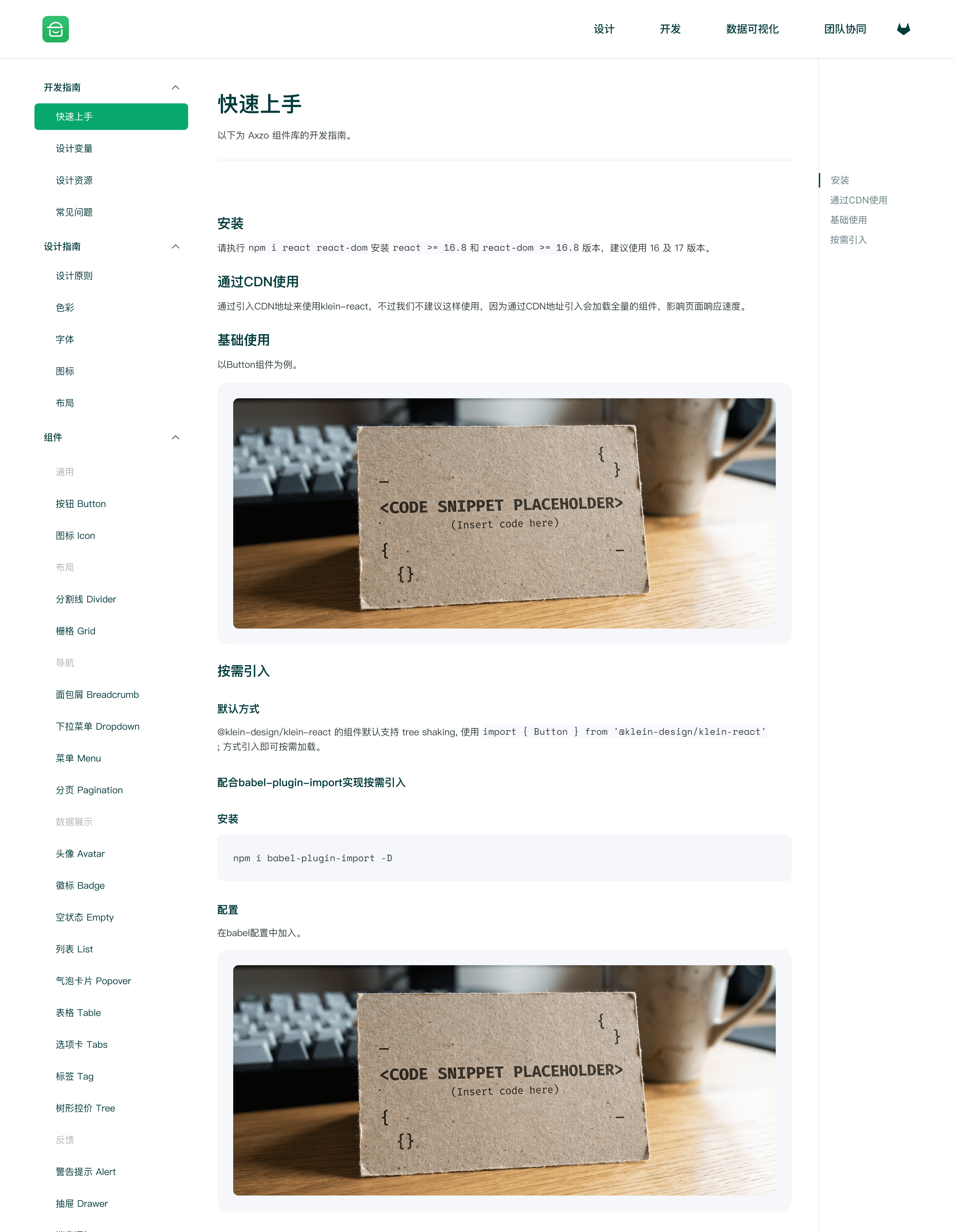
The value of the design and development module was not only in hosting existing content, but in reorganizing assets into clearer reading and onboarding paths. It included quick start, installation, component import, and component guidelines content, helping the design system move from 'knowing it exists' to 'knowing how to use it.'
Data visualization
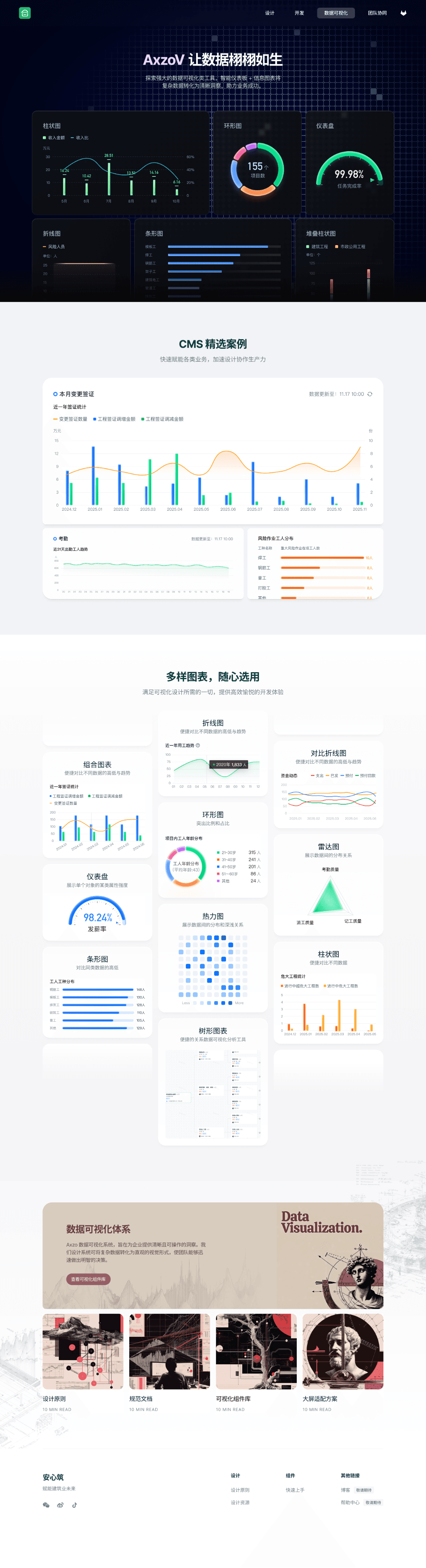
The data visualization module was a key addition to the entire portal. It carried the team's still-emerging chart standards and used a modular structure to organize chart foundations, chart types, examples, and resources, creating a landing point for future iteration. The page already showcased several chart types and related example directions.
Team collaboration
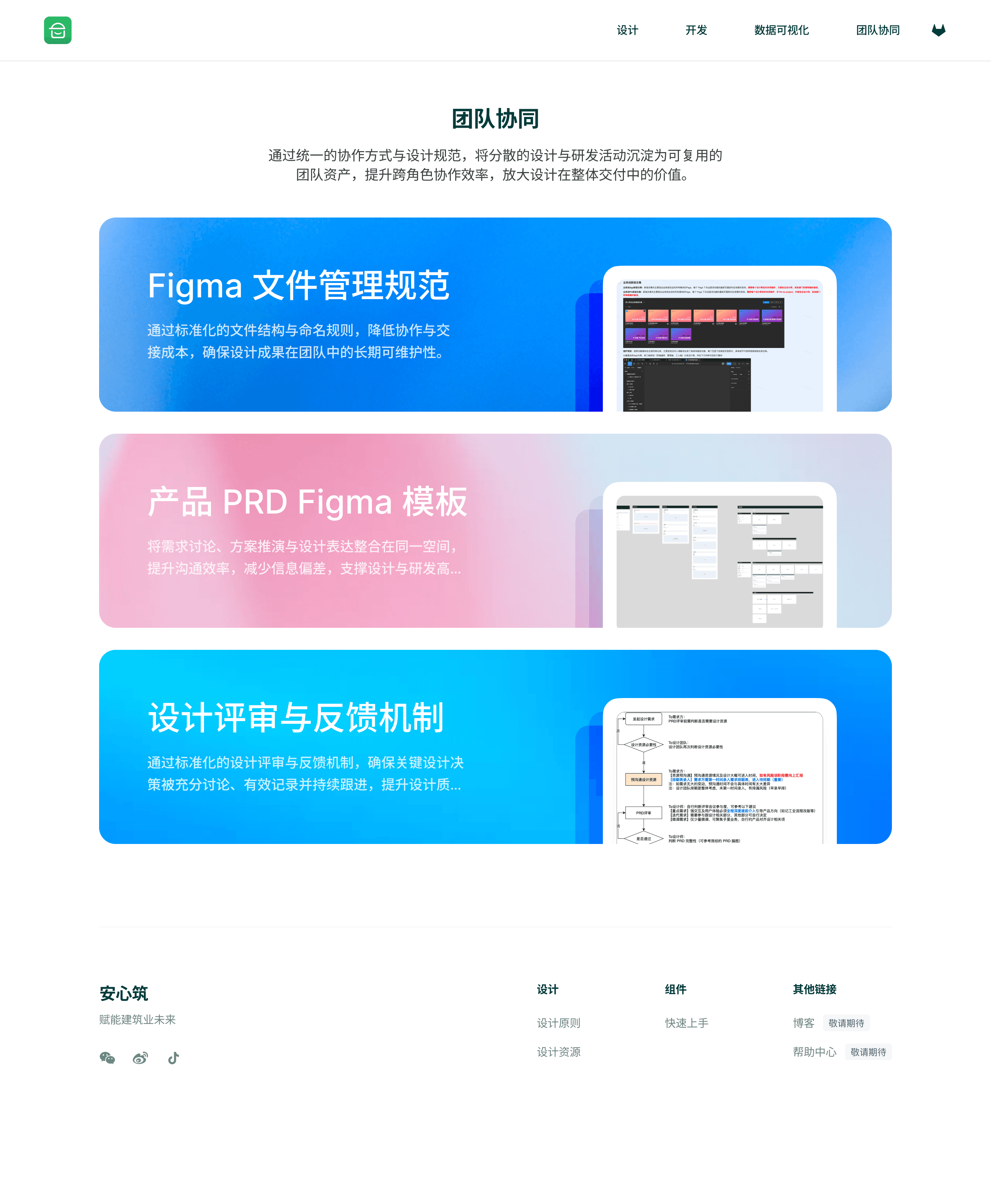
The team collaboration module mainly served the collaborative workflow between product, design, and development. In version 1.0, I first brought together three parts: Figma file management guidelines, PRD Figma templates, and the design review and feedback process. This expanded the design system from a simple repository of design assets into an infrastructure for team operations.
Results and reflection
Version 1.0 of the design system portal mainly solved three problems:
- Created a unified design system entry point from scratch, giving the team its first design system portal
- Improved the accessibility of the design system by bringing design, development, visualization, and collaboration content into one platform
- Supported the strategic narrative for componentization, making the portal a showcase for componentization outcomes in the context of the OKR
This project made it even clearer to me that the hard part of a design system is not the components themselves, but how the team actually finds, understands, uses, and iterates on them. The most important value of this project, to me, was that I did not only design a system, I also designed how that system would spread through the organization.
A design system becomes valuable only when people can actually find it, understand it, and use it.